
JavaScript: The Language That Keeps Developers Humble 😂
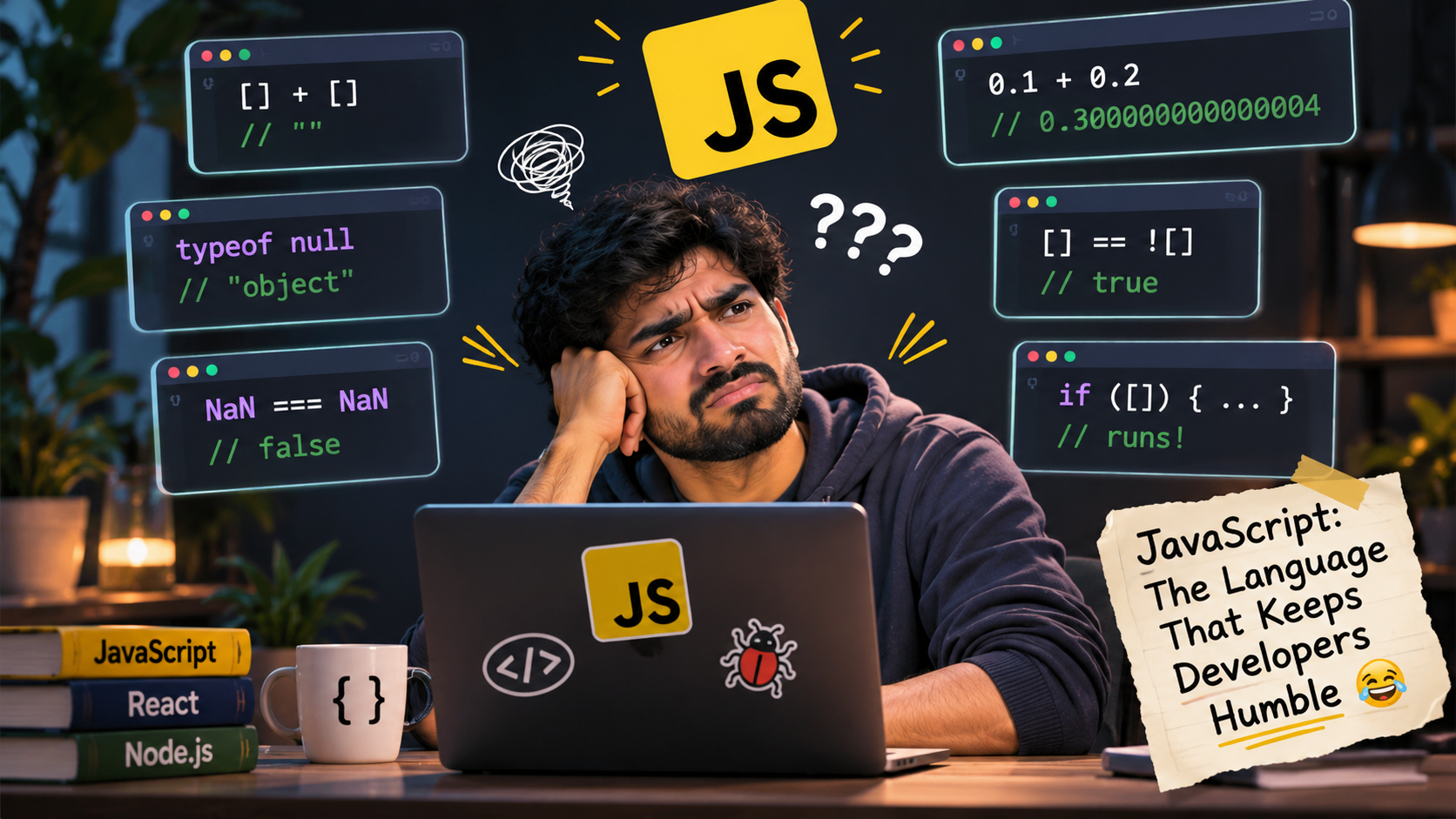
If you've ever worked with JavaScript, you probably know one thing:
JavaScript doesn't always do what you expect. And sometimes, it does exactly what you asked, but still manages to surprise you.
I've been working with JavaScript for quite some time, and even today, there are moments when I look at the output, stare at my screen for a few seconds, and question my entire understanding of programming.
Let's look at some examples.
1. The famous [] + []
console.log([] + []); // ""
Wait, what?
Two empty arrays added together give us an empty string?
That's because JavaScript converts arrays into primitive values during the addition operation. An empty array converts to an empty string.
JavaScript: "You asked me to add two arrays. I did something. Don't ask questions."
2. Adding an array to an object
console.log([] + {}); // "[object Object]"
console.log({} + []); // 0 (in some contexts)
Yes, the order matters!
The second example can be interpreted as an empty block followed by a unary plus expression, depending on the execution context.
At this point, we're not writing JavaScript. We're negotiating with it.
3. typeof null is "object"
console.log(typeof null); // "object"
Null represents the intentional absence of a value.
So why does JavaScript tell us it's an object?
Well, it's a historical bug from JavaScript's early implementation that was kept for backward compatibility.
And here we are, decades later, still explaining it in interviews.
Some bugs never get fired. They just become features.
4. NaN is not equal to itself
console.log(NaN === NaN); // false
Imagine introducing two identical things and being told they aren't equal.
That's exactly what happens here.
NaN stands for Not-a-Number, and according to the IEEE 754 floating-point standard, NaN is not equal to anything, including itself.
Thankfully, JavaScript gives us Number.isNaN().
console.log(Number.isNaN(NaN)); // true
At least someone understands NaN.
5. Empty arrays are truthy
if ([]) {
  console.log("JavaScript says YES!");
}
Output:
JavaScript says YES!
An empty array is truthy. So is an empty object.
Boolean([]); // true
Boolean({}); // true
Boolean(""); // false
Boolean(0);  // false
Coming from other programming languages, this can be a little confusing.
An empty array doesn't mean false in JavaScript. It means, "I'm empty, but I'm still participating."
6. 0.1 + 0.2 !== 0.3
console.log(0.1 + 0.2);         // 0.30000000000000004
console.log(0.1 + 0.2 === 0.3); // false
This one has probably frustrated almost every JavaScript developer at some point.
The reason is floating-point precision. Computers represent many decimal numbers using binary floating-point, and some values cannot be represented exactly.
So, JavaScript isn't necessarily wrong here. It's dealing with how floating-point numbers work.
Still, imagine explaining this to a client:
"Your total is ₹0.30000000000000004. It's a feature of mathematics."
7. [] == ![]
console.log([] == ![]); // true
Read that again.
An empty array is loosely equal to its own negation.
Why?
[]is a truthy value.![]becomesfalse.- During loose equality comparison, JavaScript performs type coercion.
- The empty array eventually converts to an empty string, and then to
0. falsealso converts to0.
And that's how we get true.
If this doesn't make you appreciate strict equality (===), I don't know what will.
But is JavaScript actually bad?
Not really.
Most of these behaviours have explanations. Some come from historical decisions, some from type coercion, and others from the underlying rules of computer science.
JavaScript is incredibly powerful. Its flexibility is one of the reasons it became so popular.
But that flexibility comes with responsibility.
Here are a few things I personally try to follow:
- Prefer
===over==. - Use
Number.isNaN()when checking for NaN. - Understand truthy and falsy values.
- Be careful with implicit type coercion.
- Use TypeScript when stronger type safety is needed.
- Never assume JavaScript will behave like another programming language.
Final thoughts
The funny thing about JavaScript is that the more you learn, the more you realise how much there is still to learn.
Sometimes it makes development easier. Sometimes it makes debugging unnecessarily interesting.
And sometimes, it just makes you question why you chose frontend development in the first place. 😂
But that's also what makes learning JavaScript fun.
What's your favourite JavaScript WTF moment?
Drop it in the comments. I'd love to add a few more to this list!
P.S. This is my first post here on Hashnode. I thought there couldn't be a better way to start than talking about the language that has given me both a career and countless debugging headaches. 🚀
About the author
- Full stack developer with experience in building production ready web and desktop applications using React.js, Next.js, JavaScript, TypeScript, Node.js, Express.js and PostgreSQL.
Comments
Join the discussionNo comments yet. Be the first to comment.